Native on iPhone & iPad
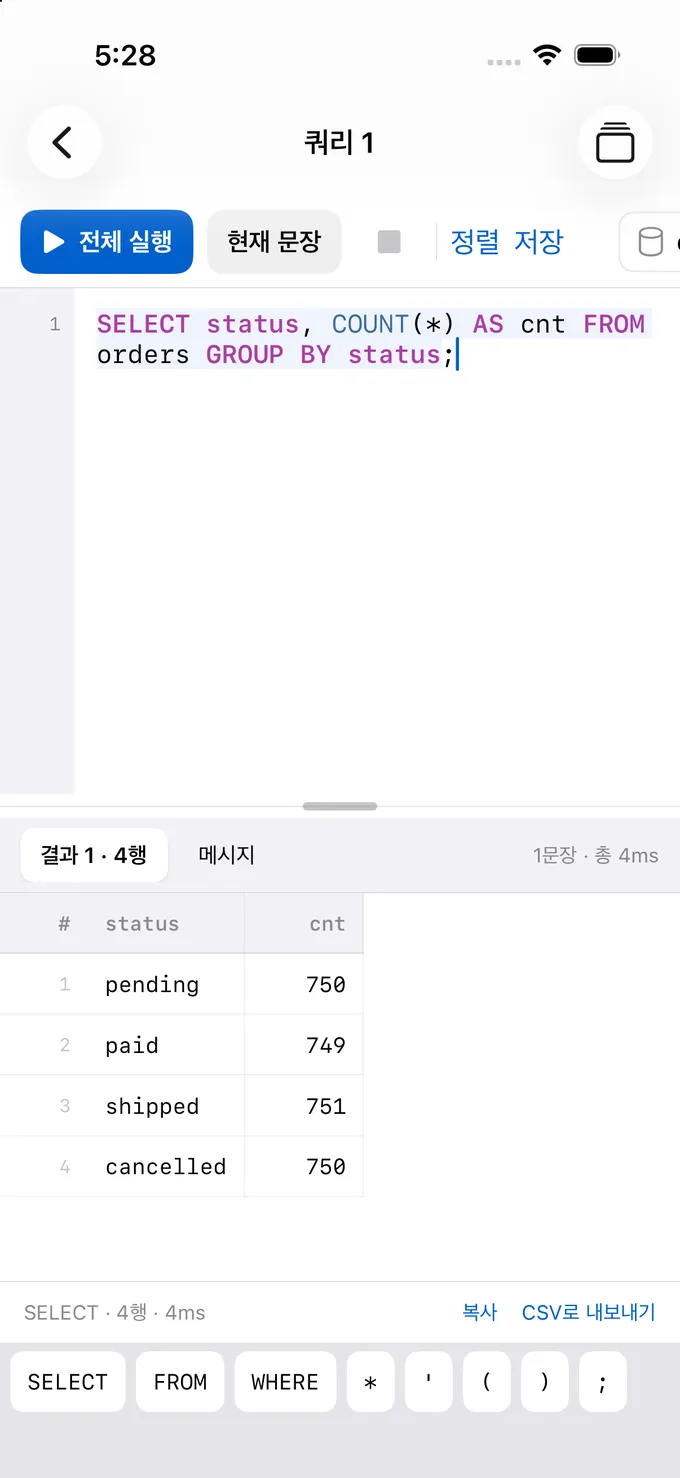
Built with SwiftUI. On iPad, move between tables and queries with a sidebar and tabs; on iPhone, every feature is still there.
Client for MySQL
Your database,
no laptop required
Connect to MySQL and MariaDB over TLS or an SSH tunnel, browse tables, edit cells and run SQL. No account and no relay server: your device talks straight to your server.
Features
From connecting to editing data, running SQL and checking structure. A native app built for iPhone and iPad.
Built with SwiftUI. On iPad, move between tables and queries with a sidebar and tabs; on iPhone, every feature is still there.
Pick one of five TLS modes, from off to full verification, and open SSH tunnels with a password or an ED25519 or RSA key (OpenSSH or PEM).
Filter rows and edit cells in place. Changes collect in a pending-changes bar and are applied together after you review them. BLOBs can be edited as hex.
Syntax highlighting, autocomplete, a result tab per statement, query history and saved queries.
See columns, indexes and foreign keys at a glance, and read the CREATE statement of tables, views and routines.
Passwords, SSH keys and key passphrases are stored only in this device's Keychain. Turn on Face ID protection per connection.
Table grid
Pick a table in the sidebar and switch between Data, Structure and DDL. Editing a cell doesn't write to the server right away.
SQL editor
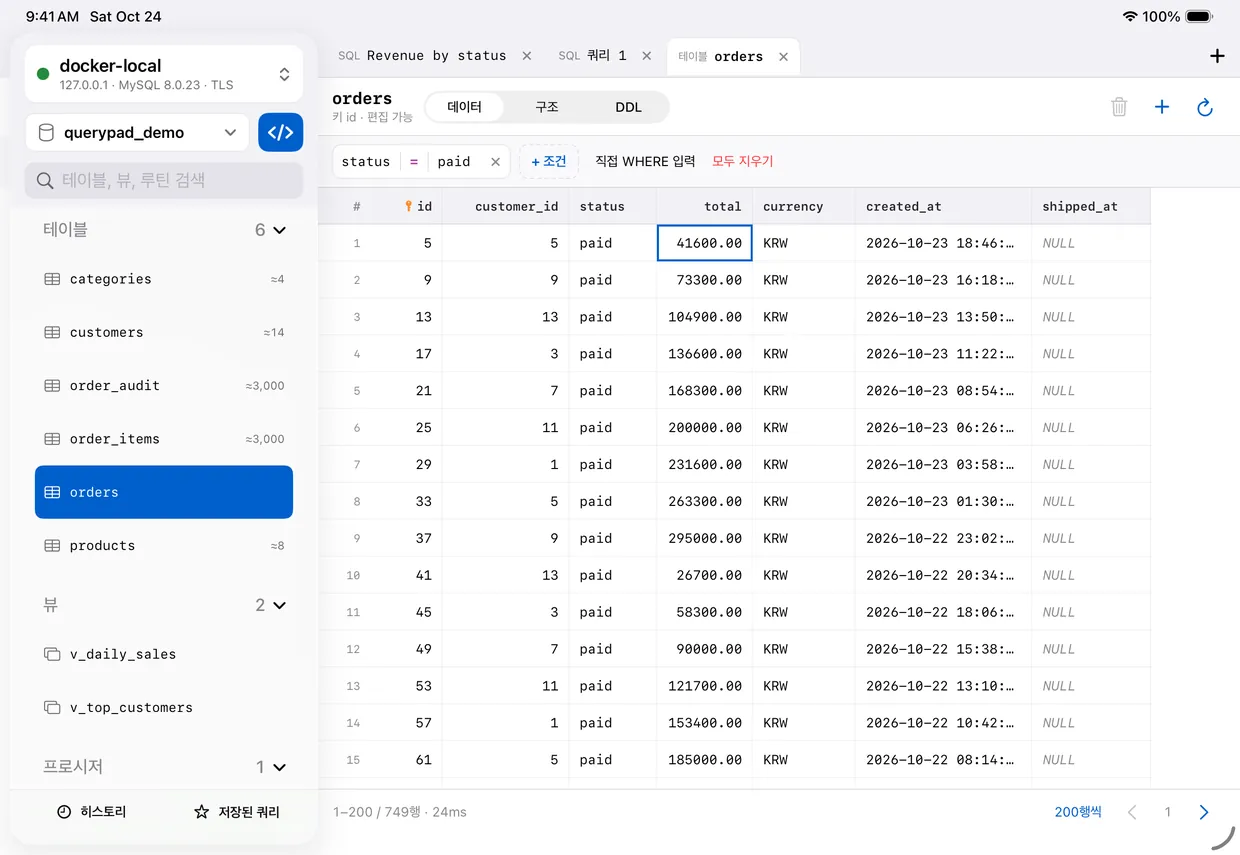
SQL keys above the keyboard and autocomplete make typing quick even on iPhone, and each statement gets its own result tab.
Connections & security
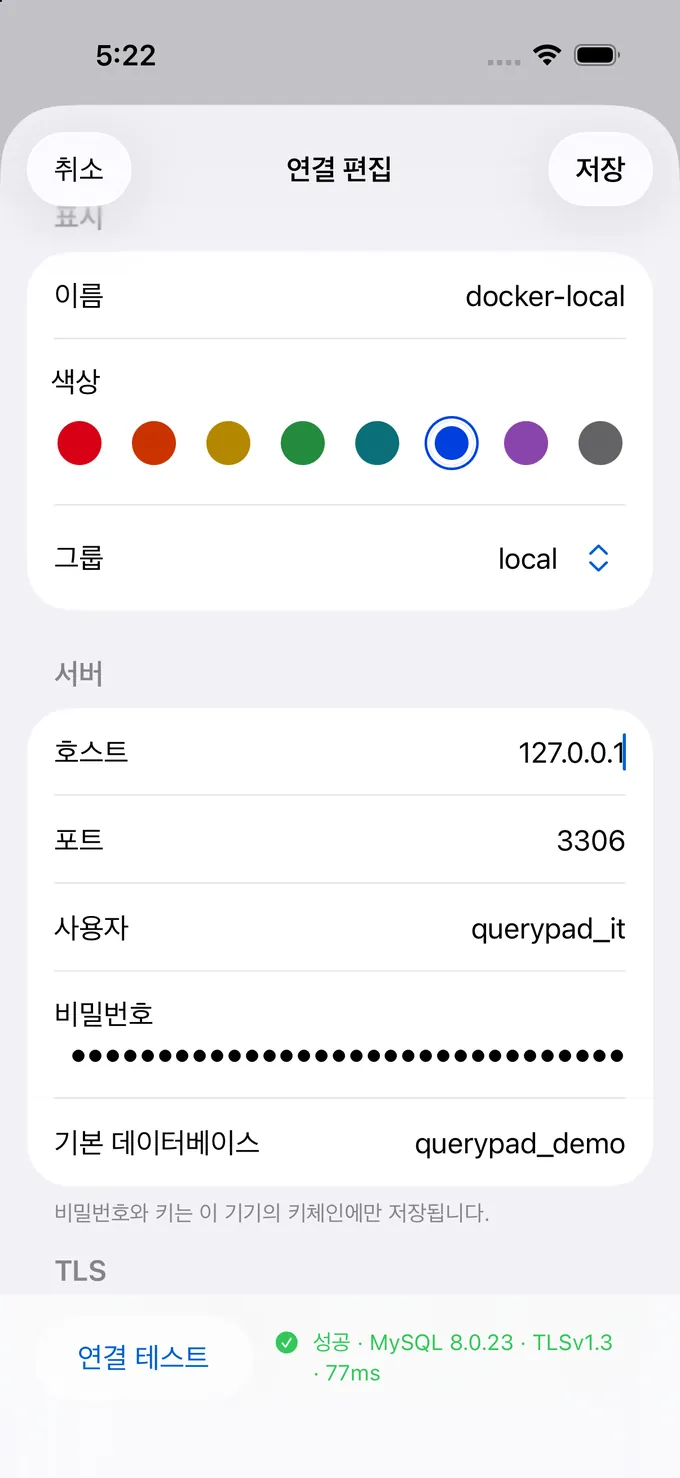
Enter the host and credentials, tap Test connection, and see the server version and TLS status right away.
Privacy
Sqloud has no account and no developer server. The app connects directly from your device to your database and SSH servers.
Pricing
Every feature works on the free plan. Upgrade to Sqloud Pro when you want more saved connections or no ads.
Every feature, one connection
$0
Unlimited connections, no ads
US App Store prices. Elsewhere you pay the local price shown in the App Store. The monthly subscription renews automatically unless canceled at least 24 hours before the end of the period; manage it in iOS Settings > Apple Account > Subscriptions. Family Sharing isn't supported. See the Terms of Use for details.
FAQ
Never to us. Passwords, SSH keys and key passphrases are stored only in your device's Keychain and are sent only to the MySQL or SSH server you entered, when you connect. Sqloud has no developer server and no account.
If you connect over the internet, turn on TLS or use an SSH tunnel. With both off, traffic to your server isn't encrypted.
We've tested MySQL 5.7 and 8.x (8.0 and 8.4) and MariaDB. Other servers that speak the MySQL protocol may work, but those are the versions we've checked.
Your device needs to reach the server. Servers on the same Wi‑Fi need iOS Local Network access, and servers that aren't reachable from outside can be reached through an SSH tunnel.
ED25519 and RSA private keys, in OpenSSH format or PEM (PKCS#1 and PKCS#8), with or without a passphrase. You can also sign in with a password instead of a key.
ECDSA keys aren't supported yet. Jump hosts (connecting through several SSH servers) and SSH agent forwarding aren't available yet either.
Every feature. The free plan lets you save one connection and shows banner ads below the connection list and sidebar. You can turn off personalized ads in the app's Settings > Ads and privacy.
Both unlock unlimited connections and remove ads. The monthly subscription ($2.99/month in the US) renews every month until you cancel; the lifetime purchase ($29.99 in the US) is paid once and never renews.
On a new device, sign in with the same Apple Account and tap Restore Purchases.
Edits in the table grid aren't written right away. They collect in the pending-changes bar, where you can preview the SQL, and are applied in a single transaction.
Statements you run in the SQL editor execute on the server as written, and the app can't undo them. Back up production databases first.
The app's interface is currently in Korean. Your table names, SQL and data are shown exactly as they're stored on your server.
No. Connections and history are stored per device, and Keychain secrets are saved as “this device only”, so they don't move to other devices. Add the connection again on your other device.
Sqloud is getting ready for the App Store. Questions or feature requests? Write to me@leed.at.